FlowSync · Model Builder · Hydraulic Model Building
Build the model from the documents you already have.
For Engineering Managers · Pipeline and Facilities Engineers · GIS and Asset Data Teams
Part of FlowSyncYou buy FlowSync from WorkSync. Model Builder is the model building capability of FlowSync, and it ships with the platform.
What Model Builder is
The model build, done from the documents you already keep.
Today the model of your asset is spread across redlined P&IDs, alignment sheets, vendor folders, a GIS layer and a few databases that disagree with each other. Every study starts by assembling that picture again, and the version the last study used is gone. That is why a model is usually either expensive or stale, and often both.
Model Builder inverts the order. The documents are the source of truth, the model is derived from them, and the derivation is repeatable. On the deployment account behind the automated model-build white paper, hydraulic model builds went from weeks of manual effort to minutes of verification, across 2,000+ miles of pipeline modeled.
- DrawingsP&IDs and isometrics
Equipment, tags, line numbers, valves and the connectivity between them.
- SpecificationsDatasheets and cutsheets
Curves, ratings, sizes and materials, read off the vendor document rather than retyped.
- GeometryGIS and alignment sheets
Centerlines, diameters, wall thickness, lengths and elevation profile, read live.
- Change historyAs-builts and MOCs
What was actually installed, and every approved change since the drawing was issued.
- Operating dataHistorian and SCADA
Pressures, flows and temperatures through DataHub, so the model can be checked against the asset it represents.
What it does
6 capabilities that turn your existing stack into action.
- 01
Reads the drawings the way an engineer reads them
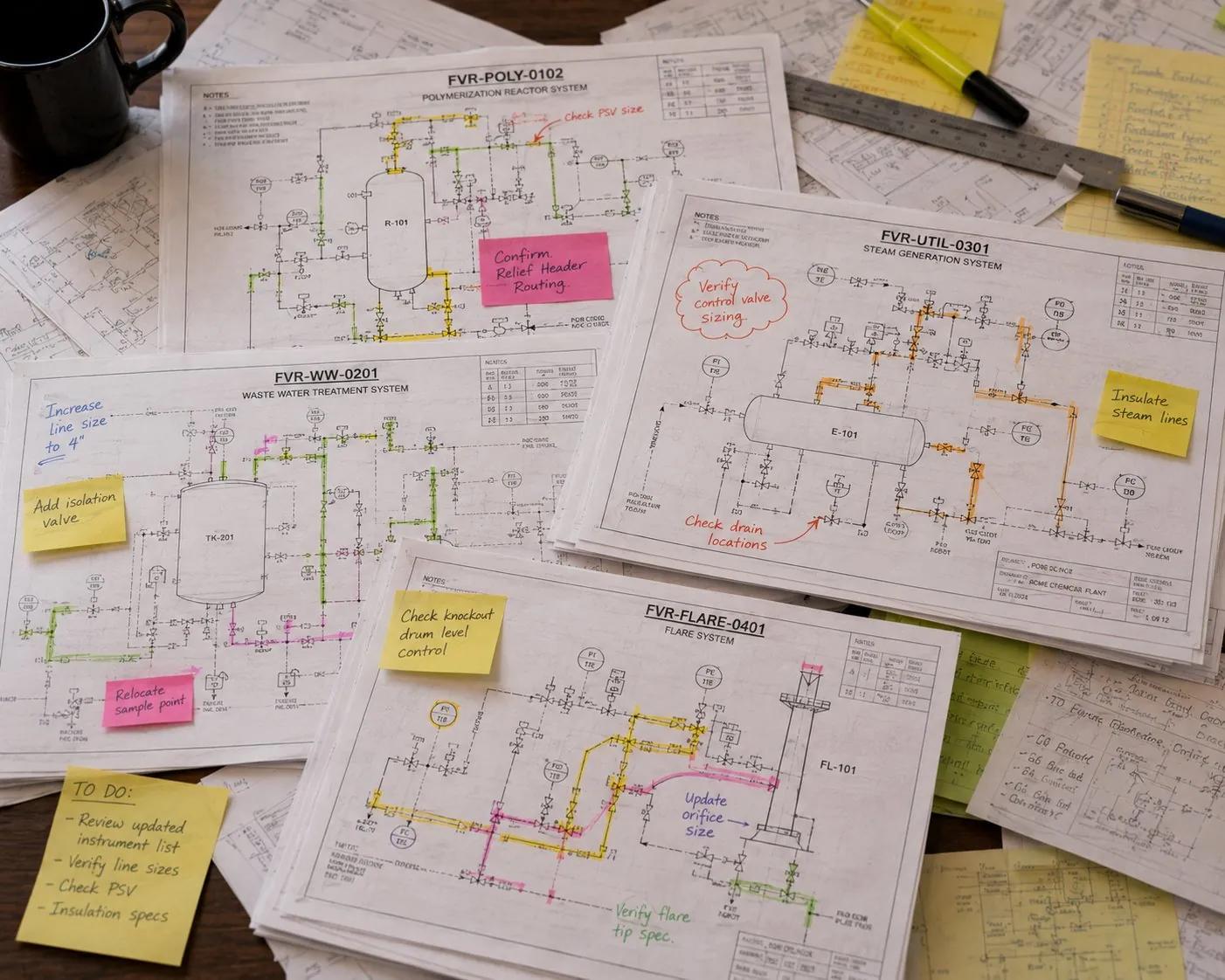
P&IDs, isometrics, alignment sheets, datasheets, vendor cutsheets and as-builts go in as the PDFs they already are. Equipment is identified, tags are lifted, flowpaths are traced and line specs are populated, with the source page recorded against every value. - 02
Pulls topology straight from GIS
Centerlines, diameters, wall thickness, lengths, elevations and connectivity read live from your GIS. No shapefile export, no manual takeoff, and no exported copy that went stale between the export and the study. - 03
Reconciles the sources against each other
The drawing, the GIS layer, the as-built and the historian disagree more often than anyone admits. Every disagreement is flagged with both values and both sources, so an engineer rules on it up front instead of discovering it mid-study. - 04
Verification instead of transcription
Confidence is carried per item. Anything the extraction is unsure of is routed to a person rather than guessed, and the build ends in an engineer approving a model rather than rebuilding one. - 05
Stays current as the asset changes
New as-builts, approved MOCs and field redlines are re-read as they land. The model tracks the asset instead of drifting from it between projects, which is what keeps the next study from starting with a rebuild. - 06
Corrections flow back to the system of record
When the model corrects a tag, a spec or a connection, the fix is pushed back to GIS and the systems of record that own it. The loop closes, and the next engineer to open the drawing sees the corrected value.
How it works
Four steps, and the last one is a review.
- 1 · Ingest
Point it at the folder
Drawings, datasheets, as-builts and the GIS connection go in as they are. No templates to fill, no naming convention to adopt first, and nothing has to be redrawn to be readable. - 2 · Extract
Equipment, specs and flowpath
Each document is classified, the symbols and tags are recognized, the flowpath is traced, and every value is recorded against the page it came from. Extraction that is unsure of an item routes it to a person rather than guessing it. - 3 · Reconcile
Where the sources disagree
The drawing, the GIS layer and the as-built are compared against each other. Every disagreement is flagged with both values and both sources, so an engineer rules on it before a study runs on it. - 4 · Verify
The engineer approves, then it stays current
The build ends in a review, not a rebuild. Once approved, new drawings, MOCs and redlines are re-read as they land, so the model tracks the asset instead of drifting between projects.
And then it does not go stale
A model is a living record, not a deliverable.
The reason models go six months stale is that nothing re-reads the source documents after the project closes. Model Builder keeps reading: a new as-built, an approved MOC or a corrected GIS attribute re-enters the model, and where the correction belongs upstream it is pushed back to the system of record so the next person to open the drawing sees the truth. Corrections are tracked, so you can always see what changed, when, and on whose authority.
- Verified modelOne model of the asset
- FlowSyncFlow Simulator
Steady-state and transient hydraulics.
- FlowSyncProcess Simulator
Facility questions, answered weekly.
- Your stackThe simulator your team already runs
Fed the same clean, current inputs. Taylor reads the same model.
The rest of FlowSync
Every module reads the same model.
- ModuleFlow SimulatorSteady-state and transient hydraulics for liquids and gas, run against current operating conditions rather than a snapshot.
- ModuleProcess SimulatorDehydration, sweetening, compression and separation, sized for the everyday facility questions your team answers each week.
- Engineer agentTaylorReads your engineering library and answers against the live model, with the source document cited on every answer.
- OverviewFlowSyncThe whole engineering capability: how the model gets built, how it stays current, and the three ways operators deploy it.
- FoundationWorkSync DataHubThe read-only integration backbone the model runs on, included with FlowSync. Your systems of record stay authoritative.
What it replaces
Retires the workarounds your team has been stacking for years.
Works with your existing stack
Reads the systems you already run.
- P&ID and isometric PDFs
- Datasheets and vendor cutsheets
- As-builts and alignment sheets
- MOC packages
- Esri ArcGIS
- Geodatabase and shapefile
- Centerline and elevation profile
- Class location data
- WorkSync DataHub
- AVEVA PI System
- Proficy Historian
- SCADA tag history
- The simulator your team already runs
- Model export for steady-state work
- Model export for transient work
- Calculation and study files
Pricing · FlowSync
Scoped to your operation.
Impact Guarantee · license fees only when the metrics move
You buy FlowSync from WorkSync; the tracks beside this are rollout scopes of that one purchase.
Scoped to your well count and systems with our implementation team when you plan your pilot. The pilot runs four weeks on one field, and DataHub is included.
- GOOD
- Model Builder + DataHub on one system
- BETTER
- adds Flow Simulator and Process Simulator on the same model
- BEST
- adds Taylor across your engineering library and MOC workflow
Proof
Hydraulic model builds went from weeks of manual effort to minutes of verification, across 2,000+ miles of pipeline modeled.
Deployment account, anonymized. WorkSync Research, Volume V
Before you ask
Common questions
What is FlowSync Model Builder?
How does Model Builder actually read our PDFs?
What happens when the drawing and the GIS disagree?
Do we have to replace the simulator we already run?
How do we know the extracted model is right?
How long does the first model take?
What does it cost?
See your own model built.
Bring one system and the folder of drawings that describes it. We build the model from your own documents and walk the reconciliation with your engineer, so you see what was extracted, what disagreed, and what it took to verify.