WellOPS · Equipment Maintenance · Permits, Lone-Worker, MOC, Incidents
The easiest equipment maintenance module to configure. And the most meaningful.
For Maintenance Managers · Field Superintendents · VP Ops
Part of WellOPS
Configured in days from three objects.
Live in four weeks.
You buy WellOPS by WorkSync. Field Work Management is the work management capability of WellOPS, the operating platform for production operations, and it ships with the platform.
- 3Objects to configure
- 5,000+Wells under coverage, deployment fact
- 4 wksKickoff to live
- 1Record for permits, MOC, and lone worker
In plain terms
What is field work management in oil and gas?
Field work management in oil and gas is the practice of planning, dispatching and recording the work done at wellsites and facilities: inspections, preventive maintenance, repairs, and the follow-up that a failure creates.
How it works, and what sets it apart
It works by holding one queue of open work against each asset, assigning each item to a crew and a day that can physically reach it, and closing it with the labor, the parts and the readings captured at the location, so the asset history stays complete.
The constraint that separates it from maintenance management inside a plant is distance: the crew spends a large share of the day driving between sites.
Configuration
The easiest equipment maintenance module to configure.
Equipment classes
Equipment classes describe the kinds of things you own: rod pumps, ESPs, plunger lift, compressors, separators, tanks, meters, valves.
A short list you write once, in your own vocabulary. Classes carry the attributes that matter for scheduling, not a full engineering taxonomy.
Maintenance plans
Maintenance plans hang off those classes and carry an interval, a task list, a parts list and a qualification.
Interval, task list, parts, expected duration and the qualification required. Plans attach to a class, so adding an asset inherits the whole schedule.
Triggers
Triggers say when a plan fires: a calendar date, a runtime or cycle count, a regulatory clock, or a condition read off SCADA.
Calendar, runtime, cycle count, regulatory clock, or a condition read off SCADA. A trigger firing creates the item; the ranking decides when it gets worked.
Why a traditional CMMS takes a year
The reason a traditional CMMS takes a year is that it wants a complete, correct equipment hierarchy before anything works, and building one across thousands of wellsites is a project in its own right.
This module is designed the other way around: it starts from the well and the site, and equipment attaches as it is found.
If a field team member knows the equipment is there, they can log against it from the app, in the field, and the record fills in from the work rather than from a spreadsheet exercise that has to finish first.
Configured, not built
Everything is configured, not built. When your maintenance strategy changes, you change the class, the plan or the trigger, and the change lands on the next sync.
There is no development cycle between you and a different cadence.
Why it is meaningful
The work that never reaches the CMMS is the work that matters.
Small, frequent and mostly undocumented
Upstream carries an enormous number of assets at wildly variable value, and the maintenance that keeps them producing is small, frequent and mostly undocumented: plunger changes, stuffing box greasing, chemical checks, meter calibrations, belt and packing replacement.
In most operations that work is scheduled by habit, tracked in a text message, and invisible to the system that is supposed to own maintenance.
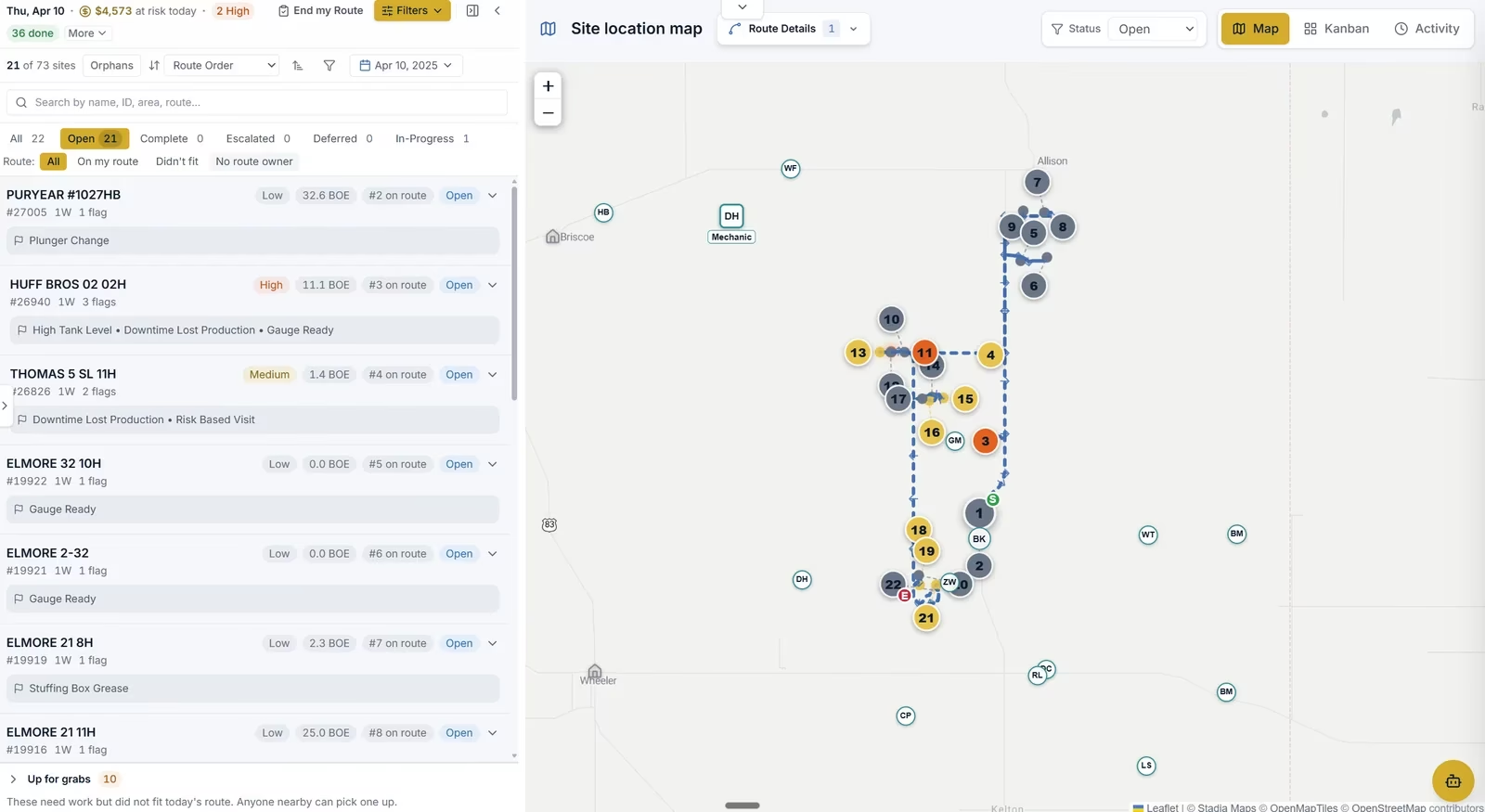
This module puts that work in the same ranked queue as production response, so it is scheduled against value rather than against a calendar.
Two rules keep it honest.
Regulatory deadlines are absolute where the regulator sets them, so a compliance PM never gets ranked out of existence by a production job.
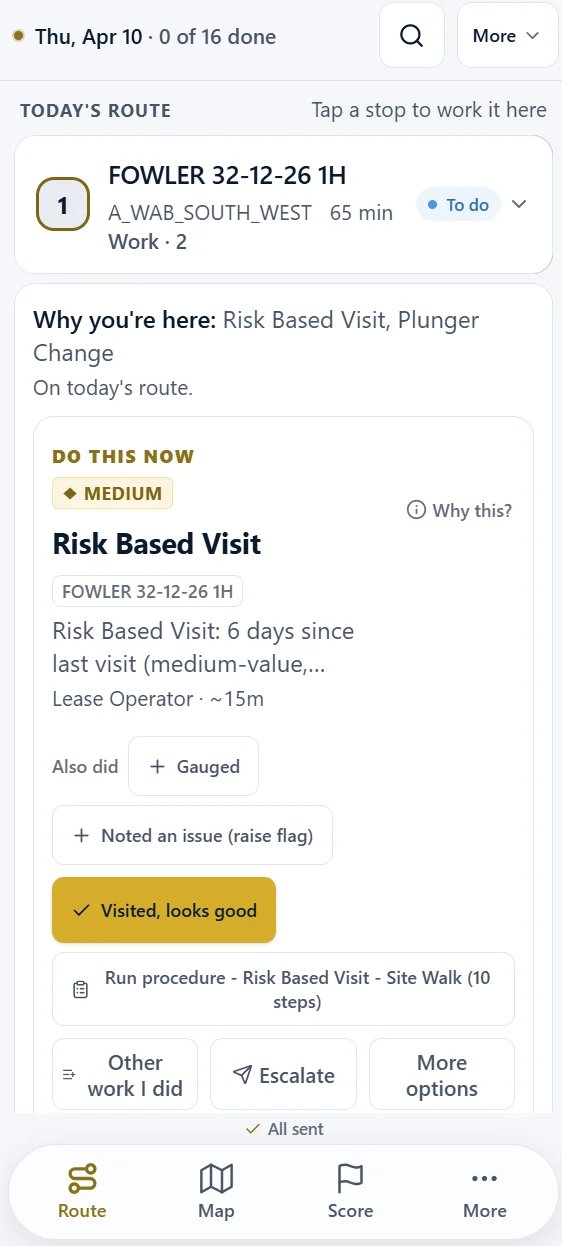
And the unit of optimization is the site stop rather than the task, so the grease gun rides along with a visit that was already worth making instead of generating a dedicated truck roll.
How a job gets scheduled
Deadline and site value, weighed together.
01 The trigger creates a priced item
02 The deadline sets the hard bound
03 Site value sets the position
04 The site stop is the unit
05 The close-out carries the cost and the cause
06 The history sharpens the interval
The ranking itself comes from the Work Engine, and the day it lands in is solved by the Route Optimizer.
What it does
7 capabilities that turn your existing stack into action.
Configured from three objects, not from a completed hierarchy
Work generated from SCADA conditions and PM triggers
Every item priced against the value of the site it sits on
The site stop is the unit of optimization
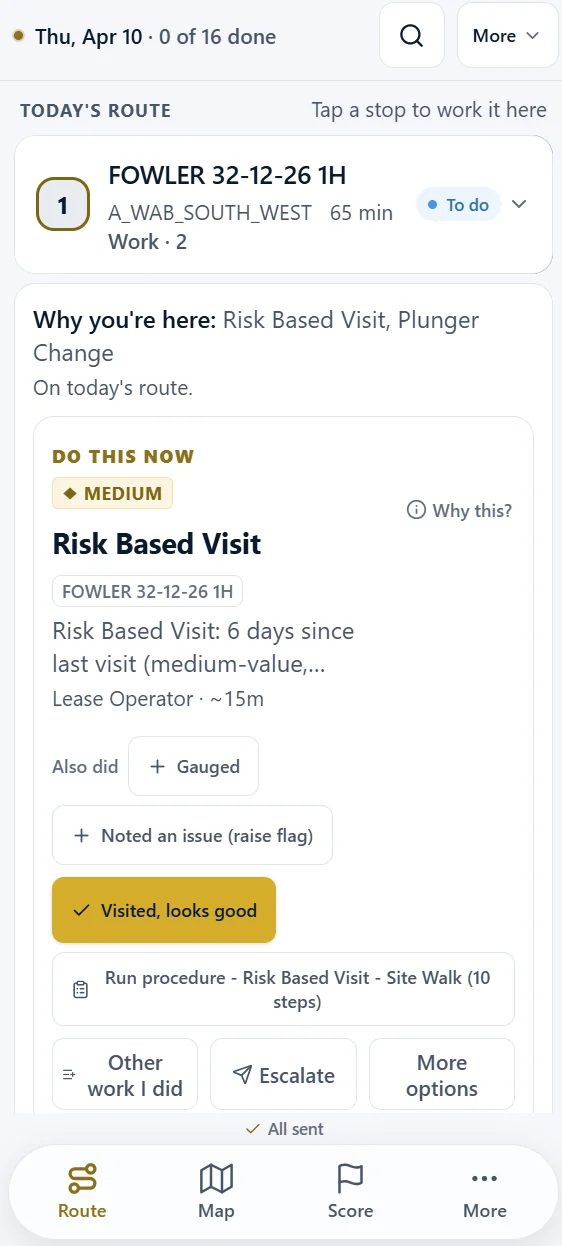
Built for gloves in a truck cab
Full lifecycle with the cost and the cause attached
Compliance evidence that rolls up on its own
Retires the workarounds your team has been stacking for years.
Enterprise EAM programs run on upstream assets
Enterprise asset management suits a refinery-scale hierarchy. On 500 to 5,000 wells it asks for a year of hierarchy work first, then delivers a desktop interface a truck cab cannot use.
Horizontal CMMS tools built for facilities and manufacturing
They have no concept of a well, a lift type, deferred production or a price deck, so every item they raise looks equally urgent.
Text-message maintenance requests and the spreadsheet behind them
Work that arrives by text has no origin, no priority and no outcome on the record, so no one can prove what an area is actually carrying.
Custom Excel and SharePoint work order workflows
Fragile, tribal, and unauditable the first time a regulator asks for the evidence chain.
Three steps from your existing data to field action.
1 · Configure
Three objects, days not quarters
Equipment classes, maintenance plans and triggers. Assets attach from the field as they are found, so nothing waits on a completed hierarchy. Changes to strategy land on the next sync.
2 · Generate and rank
The item arrives priced
A trigger fires and the item is created pre-filled, then priced against the value of the site and bounded by any regulatory deadline. It enters the same queue as production response.
3 · Bundle, work, and close
One stop, cost and cause attached
Pending items bundle into the site stop the crew is already making. Parts, labor and cause code are captured at close-out, the accrual books with the work, and the history sharpens the next interval.
Reads the systems you already run.
CMMS / EAM (co-exist)
- IBM Maximo
- eMaint
- MaintainX
- Fiix
Accounting
- Enertia
- Quorum
- Oildex
SCADA Trigger Sources
- Ignition
- AVEVA PI
- Cygnet
Mobile / Forms
- iOS
- Android
- Signature capture
- Photo upload
Pricing · WellOPS
Scoped to your operation.
GOOD
Field Work Management standalone
BETTER
adds DataHub + Field Data Capture
BEST
adds Work Engine + Operations Dashboard
Impact Guarantee · license fees only when the metrics move
Scoped to your well count and systems with our implementation team when you plan your pilot. The pilot runs four weeks on one field, and DataHub is included.
Proof
Field Work Management ties the permit clock, the lone-worker check-in and the maintenance item to the same ranked plan the field team member is already running, so a permit approaching expiry and a missed check-in each reach the right person in minutes, on the same screen as the work.
Capability statement · permit and lone-worker workflow
Before you ask
Common questions
What is field work management in oil and gas?
How long does configuration actually take?
Do I have to replace my existing enterprise CMMS deployment?
How is this different from a horizontal CMMS?
How does maintenance get ranked against production response?
Can field crews learn it without a week of training?
What does it cost?
What about compliance reporting (PSM, OSHA, API)?
See the maintenance module configured on your equipment.
Bring one field and your equipment list. We configure the classes, the plans and the triggers with you, and show you the maintenance backlog ranked against your production work with the dollars attached.